IPTV on Smart TV in Finland 2026
Watch all Finnish channels directly on your Smart TV in Finland. Nordic IPTV Elite works natively on Samsung, LG, Sony, Philips, and all major Smart TV brands. No extra hardware needed — install an IPTV app, enter your credentials, and start watching 100,000+ channels including every Finnish channel in 4K Ultra HD. Setup takes under 10 minutes.
Most Searched IPTV Smart TV Keywords in Finland
Built for users ready to buy IPTV on smart tv devices in Finland.
Supported Smart TV Brands in Finland
Compatible with all major Smart TV brands sold in Finland
Samsung Smart TV
Tizen OS
Install Smart IPTV (SIPTV) or SS IPTV from the Samsung App Store. Both support M3U playlists and the full Finnish channel lineup. Available on all Samsung QLED, Neo QLED, OLED and Frame TV models sold in Finland.
LG Smart TV
webOS
Install SS IPTV from the LG Content Store. Alternatively, use the built-in browser to load your M3U playlist. LG's webOS is one of the most IPTV-friendly platforms, with excellent performance on all Finnish HD channels.
Sony Smart TV
Android TV / Google TV
Sony runs Android TV or Google TV, giving access to the full Google Play Store. Install TiviMate or IPTV Smarters Pro for the best experience. Supports 4K HDR Finnish channels perfectly.
Philips Smart TV
Android TV
Philips Android TVs have full access to the Google Play Store. Install TiviMate or IPTV Smarters Pro for a premium IPTV experience with all Finnish channels and EPG guide.
Hisense & TCL
Android TV / VIDAA
Both Hisense and TCL offer Android TV models with Google Play Store access. Use TiviMate for the best results. VIDAA OS models can use the built-in browser with M3U direct links.
Older / Non-Smart TVs
Use a Streaming Stick
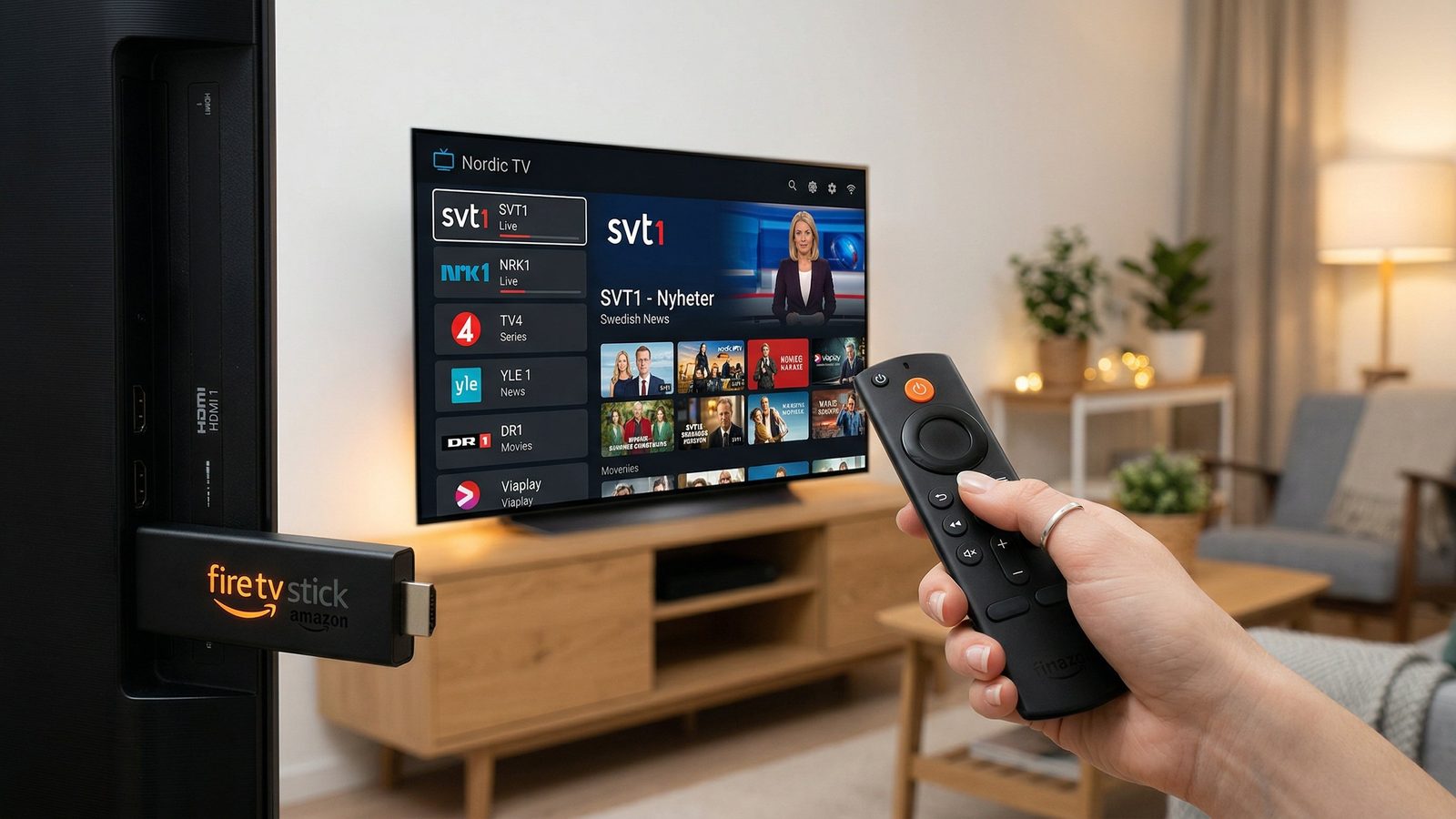
If your TV isn't a Smart TV or has a limited OS, add a Fire TV Stick or Android Box to any HDMI port. Instantly upgrades any TV to a full-featured IPTV system with all Finnish channels.
How to Set Up IPTV on Smart TV in Finland
📺 Samsung (Tizen OS) Setup
- Press the Home button on your Samsung remote and open the App Store
- Search for "Smart IPTV" or "SS IPTV" and install it
- Open the app and note the MAC address displayed on screen
- Go to the Smart IPTV website on your phone/computer, enter the MAC address, and upload your Nordic IPTV Elite M3U URL
- Refresh the app on your Samsung TV — all Finnish channels will load automatically
📺 LG (webOS) Setup
- Press the Home button and go to the LG Content Store
- Search for "SS IPTV" and install it
- Open SS IPTV and go to Settings → Playlists → Add Playlist
- Enter your Nordic IPTV Elite M3U URL and save
- Navigate to Channels — all Finnish channels will appear, sorted by category
📺 Sony / Android TV Setup
- Go to the Google Play Store on your Sony TV
- Search for "TiviMate" or "IPTV Smarters Pro" and install
- In TiviMate: tap Add Playlist → M3U URL and paste your Nordic IPTV Elite URL
- In IPTV Smarters: choose Login with Xtream Codes and enter your credentials
- Browse Finnish channels in the dedicated category — enjoy 4K quality streaming
ISP & Network Tips for Smart TV IPTV in Finland
📡 Works With All Finland ISPs
Our Smart TV IPTV service is optimized for all major Finland broadband providers including Elisa, Telia, DNA, Moi Mobiili. No special configuration is required — standard home broadband delivers flawless results.
Use Ethernet Cable
Connect your Smart TV directly to your router with an Ethernet cable for the most stable IPTV experience. Most Smart TVs have a built-in LAN port.
Wi-Fi Optimization
If using Wi-Fi, ensure your Smart TV connects to the 5GHz band (not 2.4GHz). Place your router in line-of-sight of your TV for the strongest signal.
Speed Requirements
HD: 10 Mbps • Full HD: 15 Mbps • 4K: 25 Mbps. Finland's average broadband speed of 150+ Mbps easily handles multiple 4K streams simultaneously.
Router Placement
Keep your router away from microwaves, cordless phones, and other electronics that cause 2.4GHz interference. A central location in your home is ideal.
Channels on Your Smart TV in Finland
Every Finnish channel plus 100,000+ international streams — all on your big screen
📺 Finnish Channels
⚽ Sports Channels
🌍 International
Smart TV IPTV Plans for Finland
1 Month
- ✅ 100,000+ live channels
- ✅ All Finnish channels
- ✅ 4K Ultra HD
- ✅ Works on all Smart TVs
6 Months
- ✅ Everything in 1 Month
- ✅ 250,000+ VOD titles
- ✅ 7-day catch-up TV
- ✅ Priority support
12 Months
- ✅ Everything in 6 Months
- ✅ Best value plan
- ✅ 30-day guarantee
- ✅ Up to 3 connections
Accepts: PayPal, Credit Card, Stripe — and Finland local methods (MobilePay)
FAQ: IPTV on Smart TV in Finland
How do I install IPTV on my Smart TV in Finland?
Installing IPTV on a Smart TV in Finland depends on your TV brand. For Samsung (Tizen OS): search for "Smart IPTV" or "SSIPTV" in the Samsung App Store. For LG (webOS): install "SS IPTV" from the LG Content Store. For Sony/Android TV: install TiviMate or IPTV Smarters from the Google Play Store. Enter your Nordic IPTV Elite M3U URL and credentials to start watching all Finnish channels.
Which Smart TV brands are compatible with IPTV in Finland?
All major Smart TV brands work with IPTV in Finland: Samsung (Tizen), LG (webOS), Sony (Android TV/Google TV), Philips (Android TV), TCL, Hisense, and Panasonic. Older Smart TVs may require a streaming stick (like Chromecast or Fire Stick) for the best experience. Nordic IPTV Elite supports all these platforms.
Do I need an internet connection to watch IPTV on Smart TV in Finland?
Yes, IPTV requires a broadband internet connection. For HD: minimum 10 Mbps. For 4K: minimum 25 Mbps. Most Finland home broadband connections (50–1000 Mbps) are more than adequate. Major Finland ISPs like Elisa, Telia, DNA all work perfectly. A wired Ethernet connection to your Smart TV is recommended for the most stable stream.
Can I watch Finnish channels on my Smart TV with IPTV?
Absolutely! Nordic IPTV Elite includes all Finnish channels for Finland customers, fully compatible with Smart TVs. This includes Yle TV1, Yle TV2, MTV3, Nelonen, Sub, Liv, and many more regional channels. All channels are available in HD or 4K quality depending on the source.
Is there an IPTV app for Samsung Smart TV in Finland?
Yes. The best IPTV apps for Samsung Smart TV (Tizen OS) in Finland are Smart IPTV (SIPTV) and SS IPTV. Both are available in the Samsung App Store and support M3U playlists, EPG, and 4K streams. After installing, simply load your Nordic IPTV Elite playlist URL and all Finnish channels appear instantly.
How do I fix Smart TV IPTV buffering in Finland?
To fix Smart TV IPTV buffering in Finland: (1) Use a wired Ethernet cable instead of Wi-Fi, (2) Restart your router and Smart TV, (3) Reduce stream quality from 4K to Full HD temporarily, (4) Clear the IPTV app cache in your TV's settings, (5) Check that your internet speed meets the minimum requirement (10 Mbps for HD). Contact Nordic IPTV Elite 24/7 support for server-side optimization.
More Device Guides for Finland
Start Watching on Your Smart TV in Finland
All Finnish channels on your big screen — 30-day money-back guarantee